4.8 Excellent | 90+ Reviews (US only)
Want to screen mirror iPhone to another iPhone?
VlogMonitor lets you mirror your iPhone’s screen to another iPhone (or iPad, or Mac) easily. Thousands of users worldwide trust it — and I’ve got proof below!
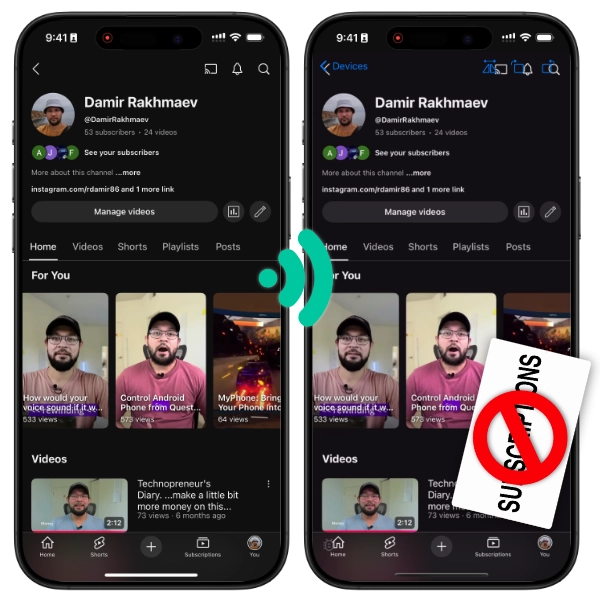
The short answer
There is no built-in iPhone-to-iPhone screen mirroring — AirPlay cannot send from one iPhone to another. FaceTime screen sharing is the free option for showing your screen to a remote person. For a live local second screen, a third-party app on both iPhones is required; VlogMonitor ($14.99 one-time) connects two iPhones over Wi-Fi, a hotspot, or USB in one tap. One purchase covers devices signed into the same Apple ID.
First, the thing nobody tells you
There is no built-in iPhone-to-iPhone mirroring. AirPlay — Apple’s own mirroring tech — can send an iPhone’s screen to an Apple TV, a Mac, or an AirPlay-capable smart TV, but an iPhone can’t receive AirPlay. That’s why the other iPhone never shows up under Screen Mirroring in Control Center. To mirror one iPhone on another, you need an app on both.
How to mirror an iPhone to another iPhone
- Install VlogMonitor on both iPhones. One-time $14.99 purchase, no subscription. One purchase covers all devices on the same Apple ID.
- Put them on the same network — same Wi-Fi, or no Wi-Fi at all: Personal Hotspot works, and so does a USB cable on supported models.
- Start streaming on the sending iPhone, then watch on the receiving iPhone — the steps below match what you see in the app.
On the sending iPhone
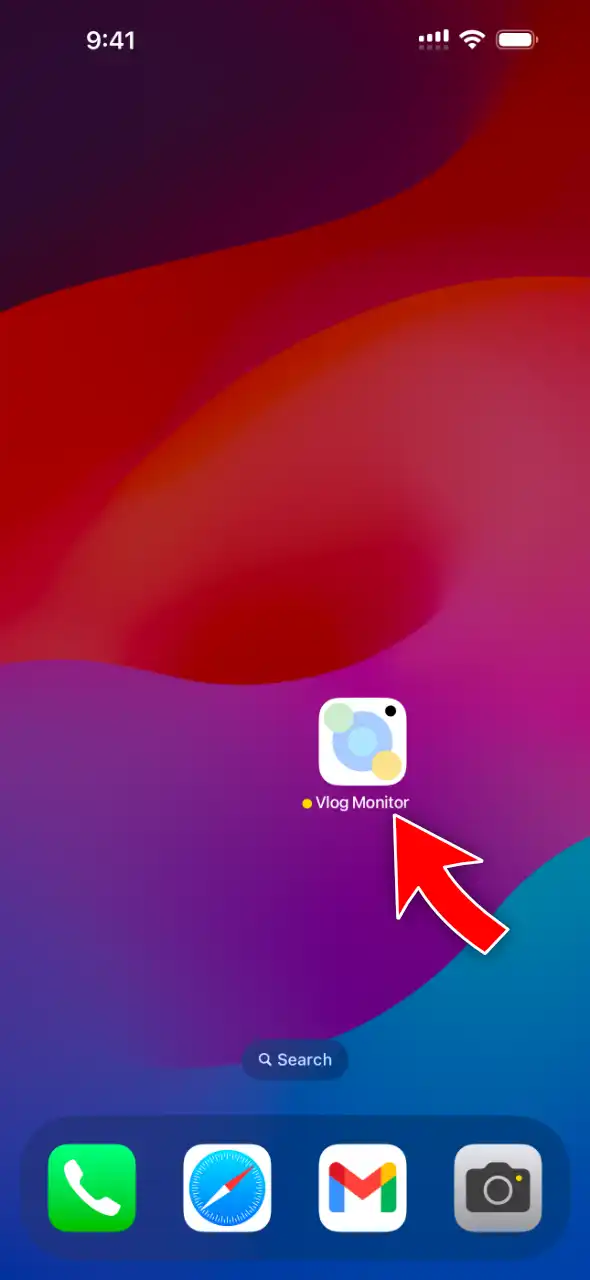
Open VlogMonitor.
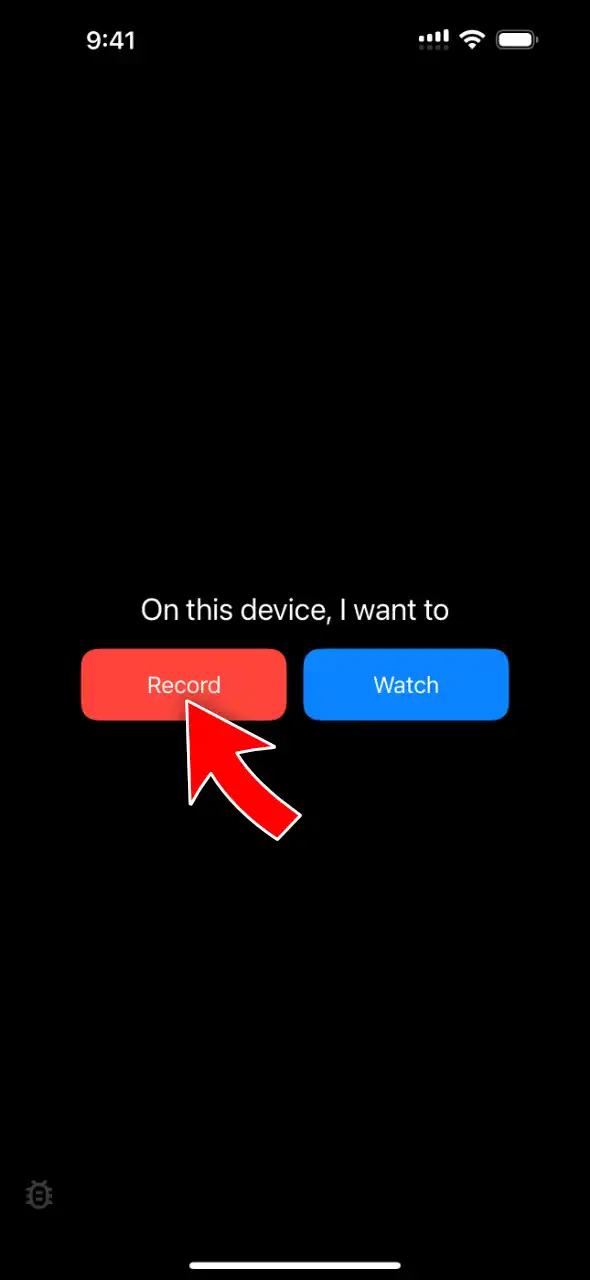
Tap Record.
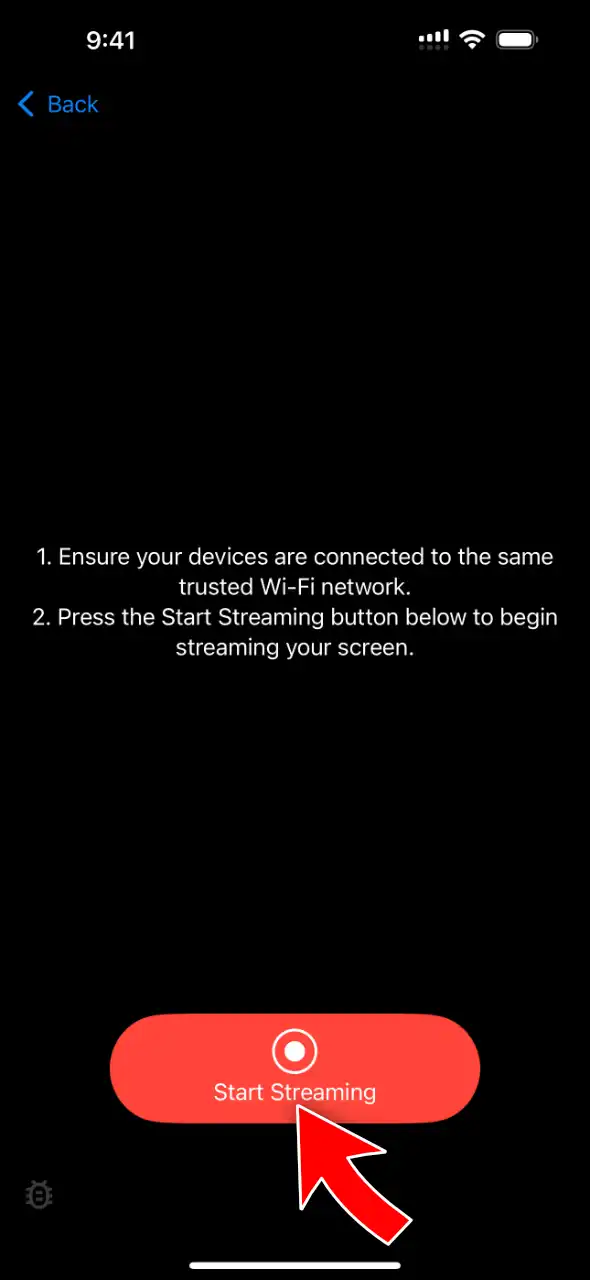
Tap Start Streaming.
Tap Start Broadcast. Allow Local Network access if iOS asks.
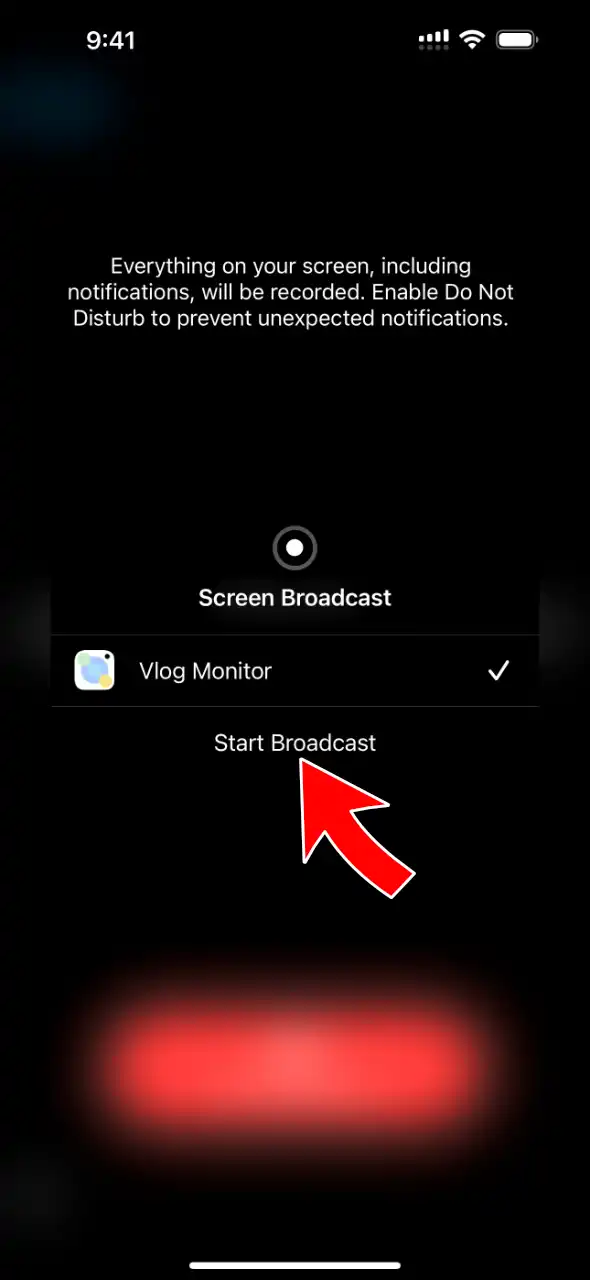
Streaming starts after a few seconds.
On the receiving iPhone
Open VlogMonitor.
Tap Watch.
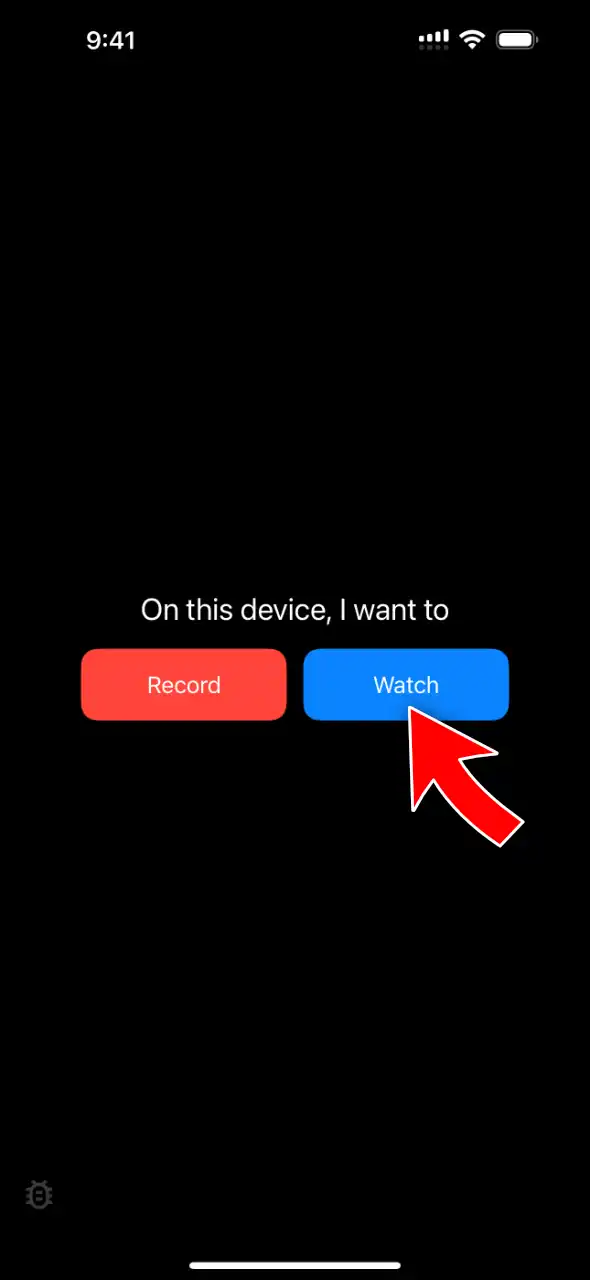
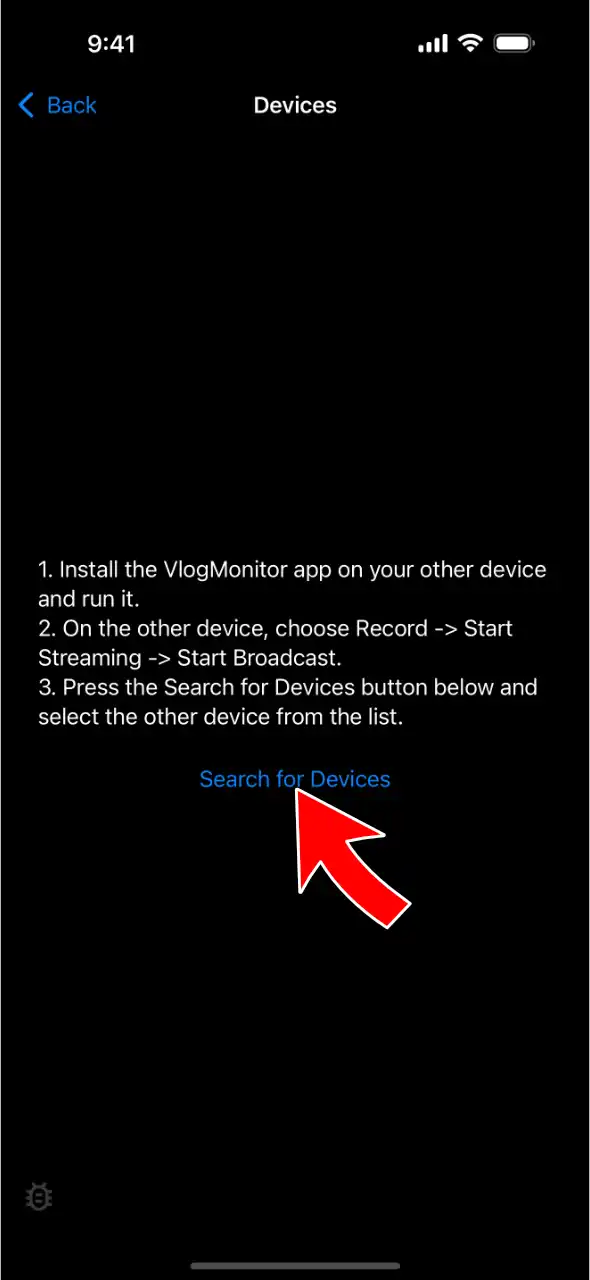
Tap Search for Devices. Allow Local Network access if iOS asks.
Select the sending iPhone.
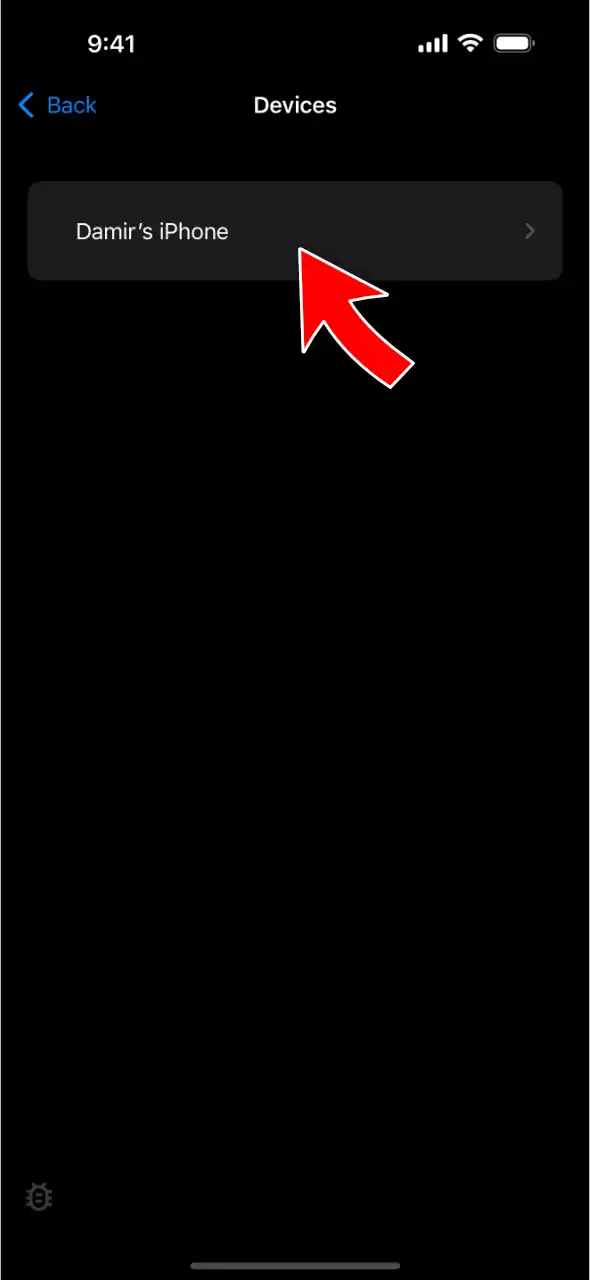
At that point you should see the sending iPhone’s screen on the receiving iPhone.
Should you use a free option instead?
Honest answer — check these first:
- FaceTime screen sharing (free, built in): during a FaceTime call, tap Share Screen. It works over the internet, so it’s the right tool for showing a remote person your screen. But it runs inside a call, the quality adapts down with your connection, and it isn’t built for using a second iPhone as a live monitor next to you.
- Remote-desktop apps (TeamViewer, AnyDesk — free tiers): built for tech-support sessions, with accounts and permission prompts each time. They’ll show your screen, but the setup friction is real and they’re not designed for continuous, low-latency viewing.
If you want a second iPhone as a reliable live screen — checking framing while you film, following a recipe from the other room, watching what’s happening on a kid’s device with them present — a purpose-built direct connection does it better.
How the options compare
| VlogMonitor | FaceTime share | Remote-desktop apps | |
|---|---|---|---|
| Price | $14.99 once | Free | Free tier + upsells |
| Built for | Live second screen | Calls | Tech support |
| Without Wi-Fi (hotspot) | ✅ | Needs internet | Needs internet |
| Wired (USB) | ✅ on supported models | ❌ | ❌ |
| Setup per session | Open app, one tap | Start a call first | Codes and permissions |
| Different Apple IDs | ✅ | ✅ | ✅ |
Hi, I’m Damir (YouTube, IG, TikTok) — I’m the developer of VlogMonitor. I built it to put one iPhone’s screen on another with as little delay as I could engineer.
If you want to screen mirror your iPhone to another iPhone, this is what you need. I worked really hard on VlogMonitor to squeeze out the best possible quality with minimal latency (which, of course, can’t be zero).
All the reviews below are genuine, and you can find them on the App Store page for the country mentioned.
Want to chat with me about the app? Join the Discord
Why to choose VlogMonitor
Users say VlogMonitor is incredibly easy to use
This App is a game changer
I found this app through Reddit but I couldn’t find that post again. Nevertheless, I downloaded it on my two devices, and so far this app is working beautifully. There is no lag, the picture quality is superb, and no connectivity issues so far. Highly recommended. I’ll give a 5-star rating from my other phone as well.
Jha Ayush—India, 07/07/2025
No subscription? Shut up and take my money!
Exactly what I needed, no more no less.
Justin Rockwell—United States, 01/11/2026
Awesome app!
Works as expected. Simple to use.
HenryL1970—United States, 01/15/2025
100% legit works!
Works like a charm! Thank you sir 👏🏻👏🏻👏🏻
liyananana—Malaysia, 05/24/2025
AMAZING APP
was sceptical but omg! This app is exactly what it is hyped up to be!! Personally I am not using this app for vlogging or taking selfies (I’m using it for transferring images onto canvas to paint) I’m very pleased!! Very much recommend!
Trent curedale—Australia, 05/23/2025
Users say the latency is almost non‑existing (tap to expand)
Amazing app!
Exactly what you expect. I would recommend the ability to do picture-in-picture, that would make it much better.
omgdann—United States, 02/03/2025
Perfect
Great app use it to screen mirror from iPhone to an iPad works great
Jr.817—United States, 04/03/2025
Great app
Love this app, I am doing recordings and wanted my iPad to show what’s being recorded for self view and others. This works perfect and allows me to broadcast the native camera app right to my iPad. Well done!!!!
Roadhou449—United States, 01/07/2025
good app !
does exactly what it says: streams the screen of one device to a second device. in my case, i streamed my iphone screen to my ipad and worked without issue. the only possible problem i see is that it depends on a wifi network, so quality and latency can depend on that. otherwise, good app 👍
willi552—Canada, 05/25/2025
Does what was promised
Simple but good for the purpose of mirroring iphone to ipad
Vlastovka—Czechia, 12/16/2024
High image quality, works over iPhone’s Hotspot, and wired connections
Does what I wanted and expected.
Use to remotely frame and review what my iPhone camera is seeing. I use my Apple Watch to remotely control the camera. So, with $2.5K worth of apple equipment and no screen mirroring possible this app was well worth the price. Also I had a problem connecting at first and Damir responded quickly with the fix!!
ntfdew—United States, 04/12/2025
Ipad as iphone monitor
Works perfectly
CB TWENTY—Germany, 04/20/2025
No subscriptions. Period.
Works Great!
I love it! And no subscription????? Omg
Annamaranthine—Panama, 06/22/2025
La aplicación cumple lo que promete. 👌🏻
La aplicación cumple lo que promete. 👌🏻
JorgeM28—Colombia, 09/14/2025
Frequently Asked Questions
With what devices can I screen mirror using VlogMonitor? (tap to expand)
Do the devices need to share the same Apple ID?
How much does it cost?
Can I use it outdoors or without Wi‑Fi?
Where can I read all reviews?
Need help or want a new feature?
4.8 Excellent | 90+ Reviews (US only)