How to mirror iPhone on iPad
4.8 Excellent | 90+ Reviews (US only)
Want to screen mirror iPhone on iPad?
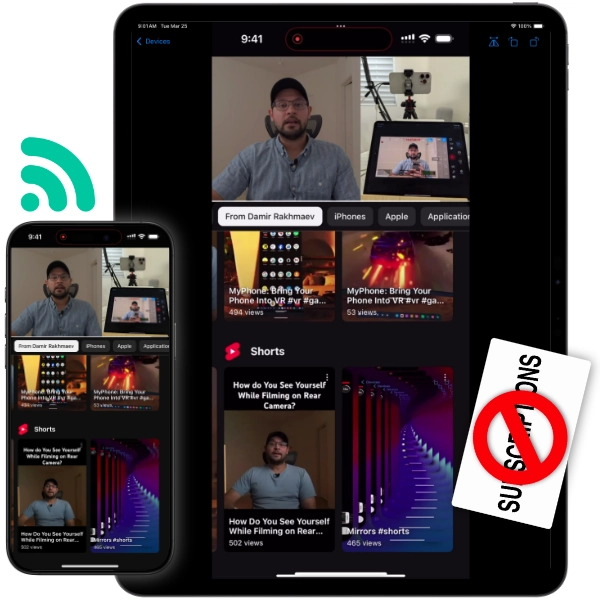
VlogMonitor lets you mirror your iPhone’s screen on your iPad easily. Thousands of users worldwide trust it — and I’ve got proof below!
The short answer
iOS has no built-in way to mirror an iPhone’s screen to an iPad — AirPlay can send to TVs and Macs, but an iPad cannot receive it. To do it you need a third-party app on both devices. VlogMonitor ($14.99 one-time) does this over Wi-Fi, a personal hotspot, or a USB cable: open the app on both devices, tap Record on the iPhone and Watch on the iPad. FaceTime screen sharing is a free alternative for showing your screen remotely, but it runs inside a call and is not suited to live camera monitoring.
First, the thing nobody tells you
iOS has no built-in way to mirror an iPhone to an iPad. You’re not missing a setting. AirPlay — Apple’s own mirroring tech — needs a receiver (an Apple TV, a Mac, or an AirPlay-capable smart TV), and an iPad can’t be one. That’s why the Screen Mirroring button in Control Center never shows your iPad. To do this, you need an app on both devices.
How to mirror your iPhone on your iPad
- Install VlogMonitor on both devices — iPhone and iPad. It’s a one-time $14.99 purchase, no subscription. One purchase covers all devices on the same Apple ID.
- Put them on the same network — same Wi-Fi, or no Wi-Fi at all: your iPhone’s Personal Hotspot works, and so does a USB cable on supported models.
- Start streaming on the iPhone, then watch on the iPad — the steps below match what you see in the app. You can rotate or flip the view on the iPad if you need to.
On iPhone
Open VlogMonitor.
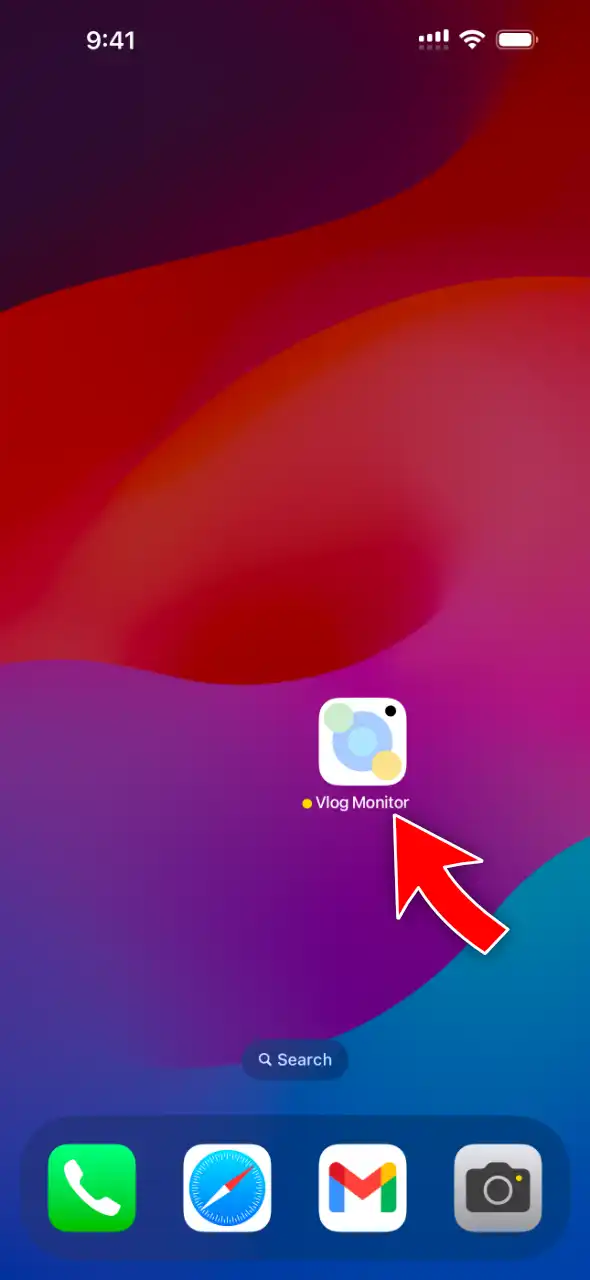
Tap Record.
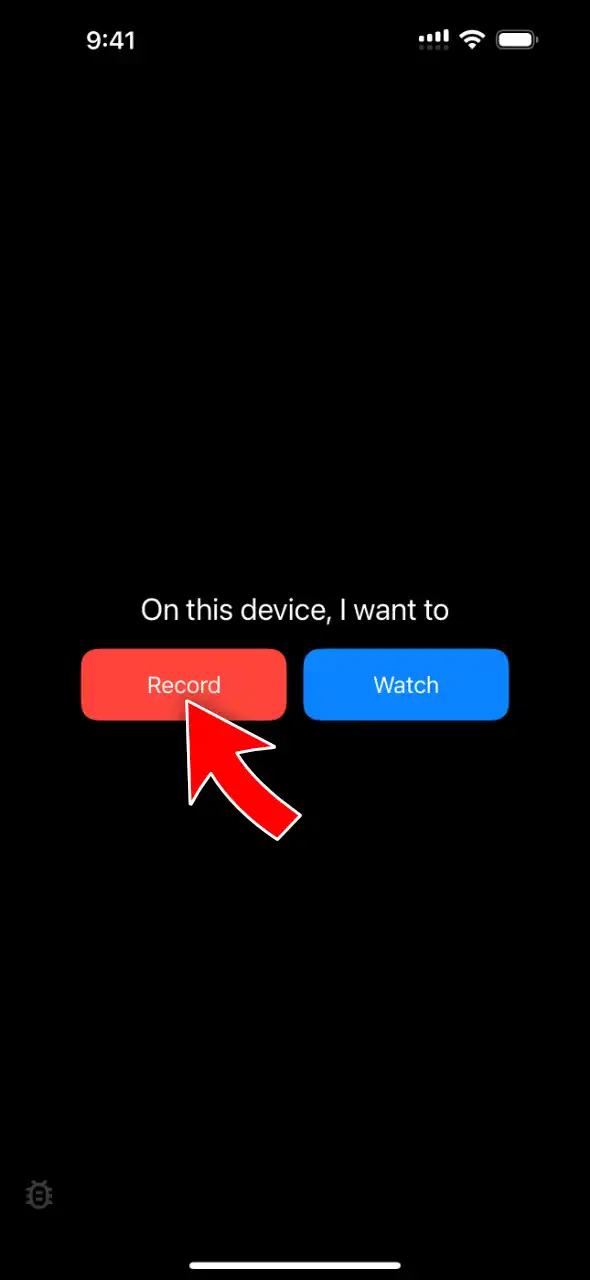
Tap Start Streaming.
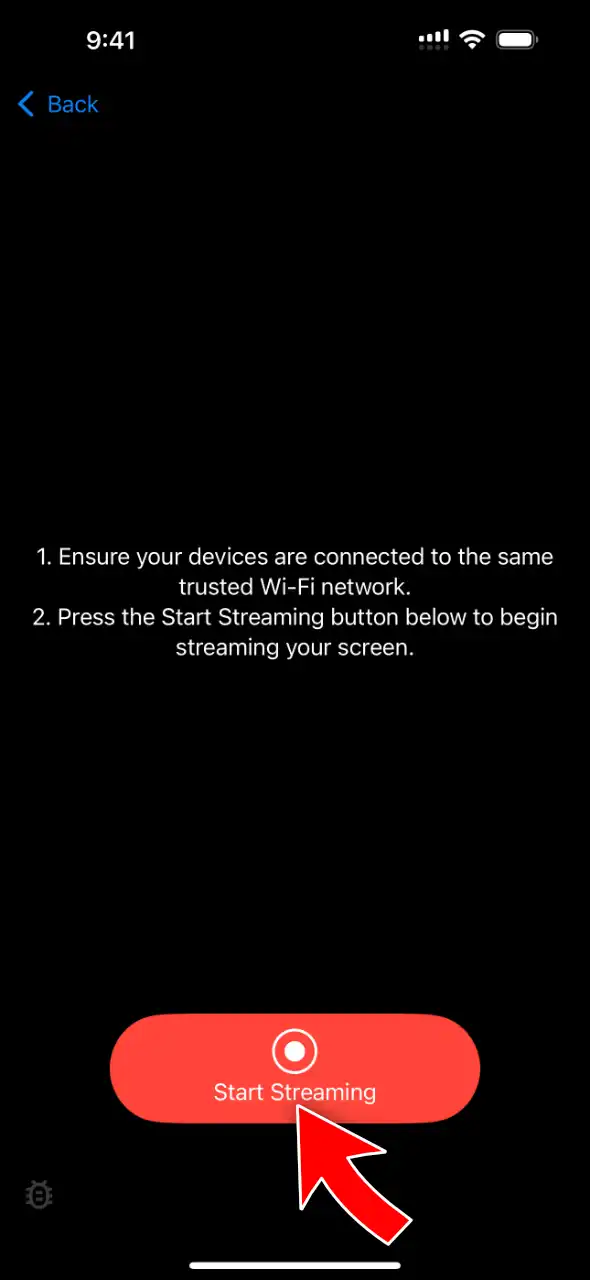
Tap Start Broadcast. Allow Local Network access if iOS asks.
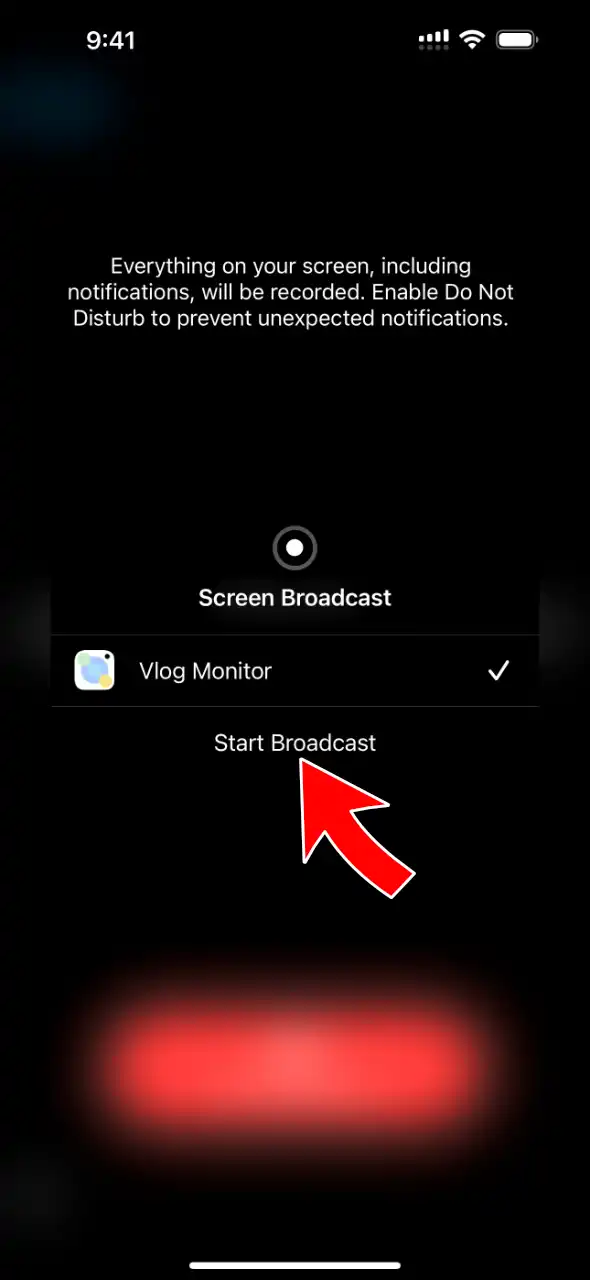
Streaming starts after a few seconds.
On iPad
Open VlogMonitor.
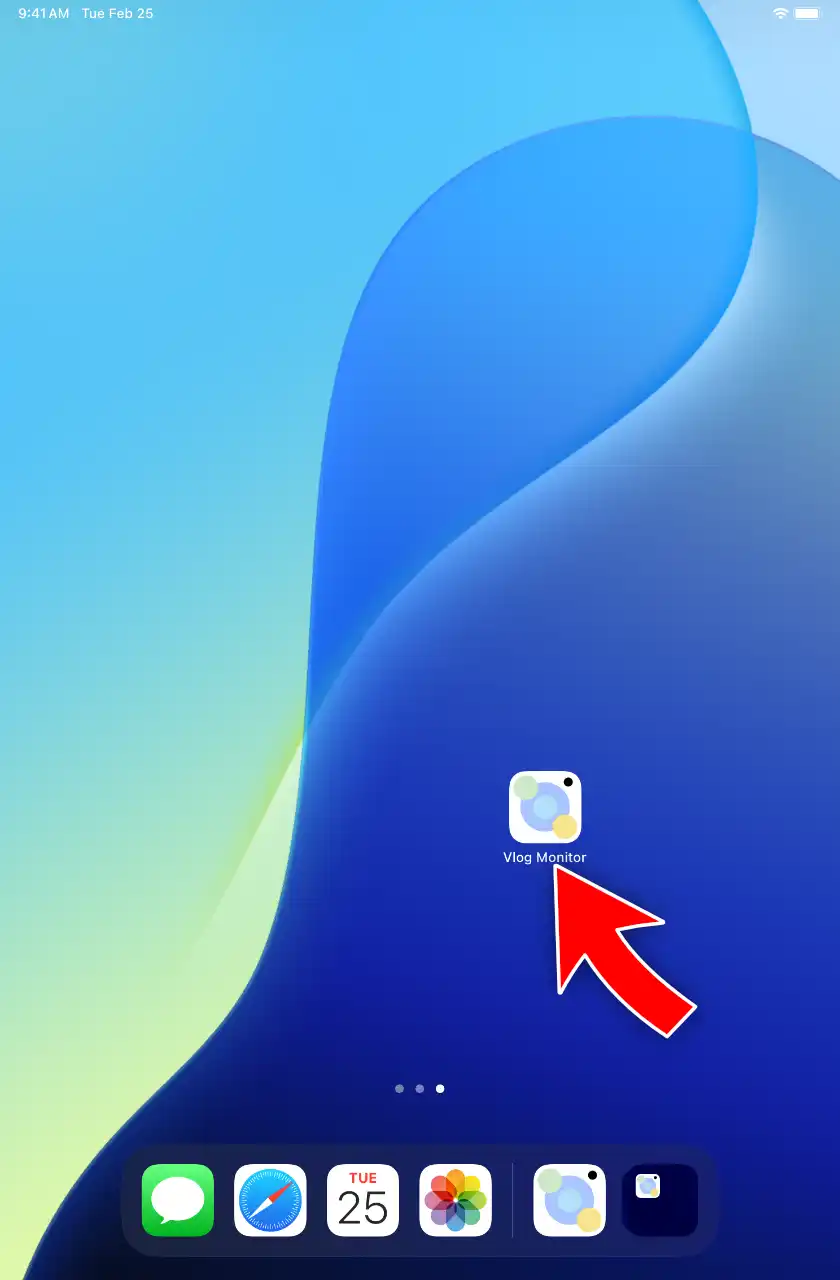
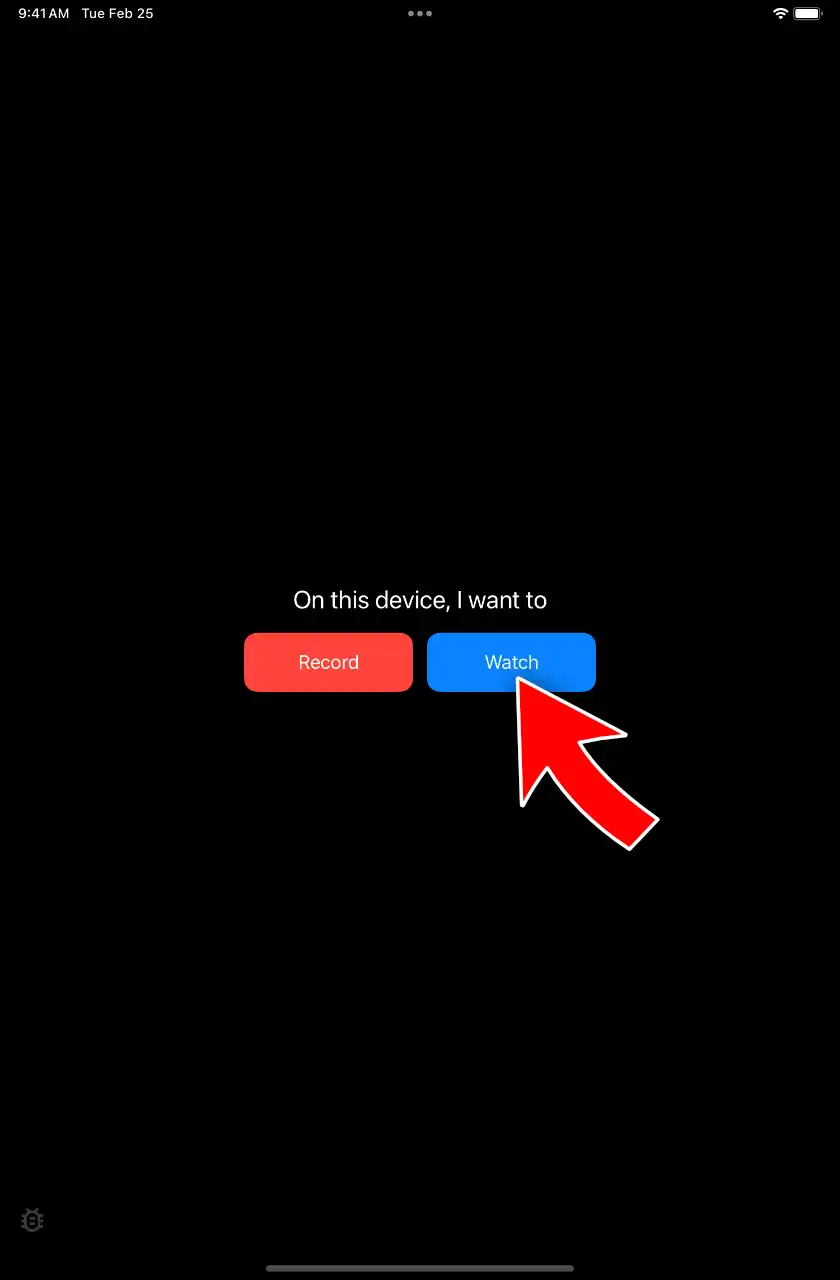
Tap Watch.
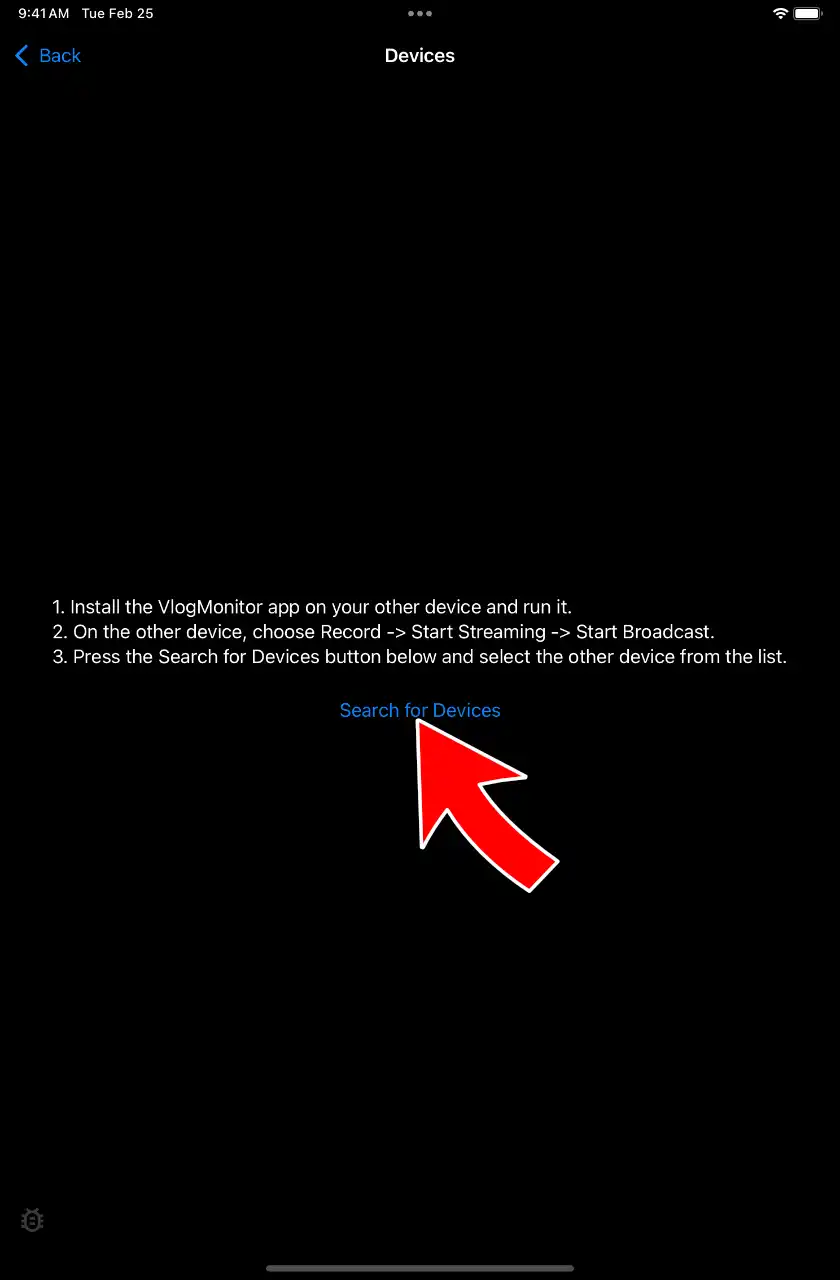
Tap Search for Devices. Allow Local Network access if iOS asks.
Select your iPhone.
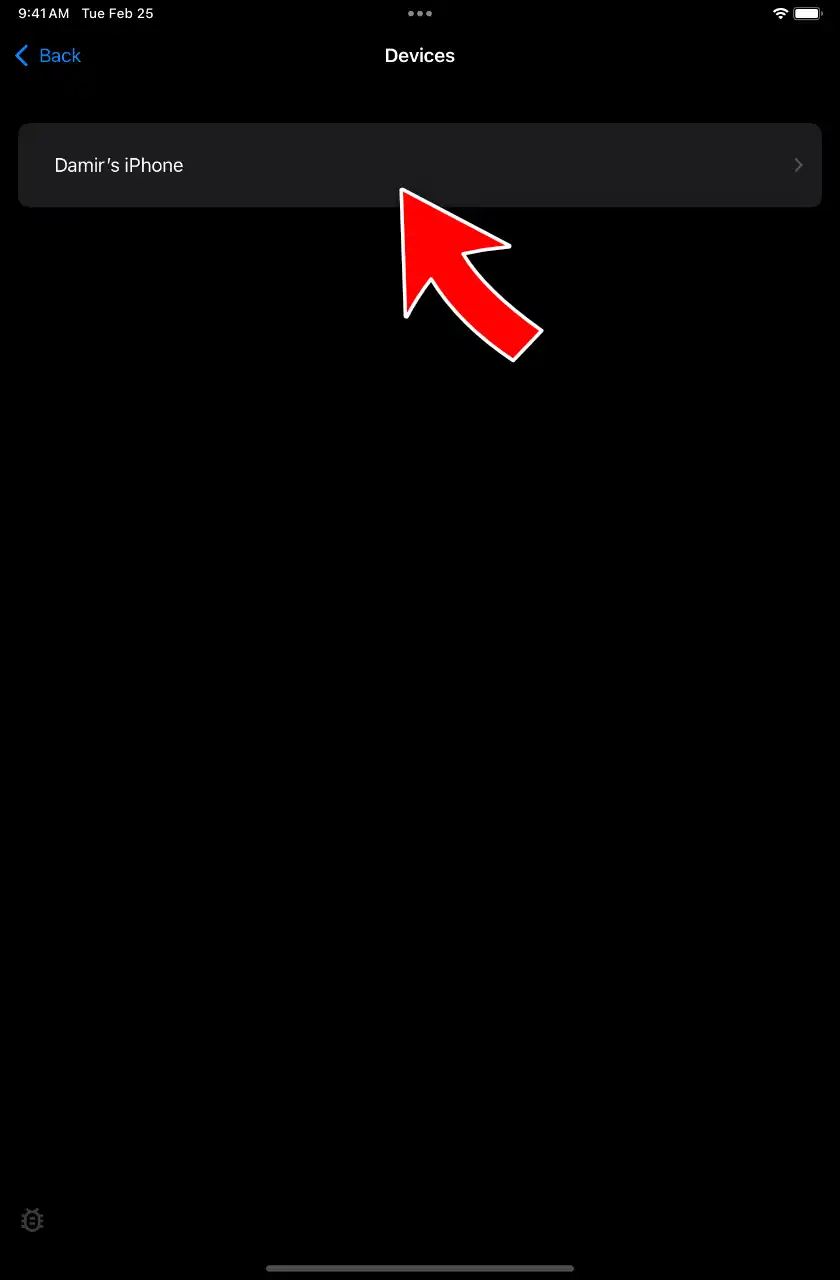
At that point you should see your iPhone’s screen on the iPad.
Should you use a free option instead?
Honest answer — check these first:
- FaceTime screen sharing (free, built in): you can share your iPhone screen to another device during a FaceTime call. Fine for showing someone your photos remotely. Not built for using the iPad as a live second screen — it runs inside a call, and quality adapts down with your connection.
- AirPlay receiver apps on the iPad: some apps make the iPad pretend to be an AirPlay receiver. They work, but the well-known ones are subscriptions.
- A cable to a monitor: if what you really want is a bigger display (not an iPad), a $20+ HDMI adapter is the answer.
If you want the iPad as a reliable second screen for your iPhone — especially as a camera monitor while filming — that’s exactly the job VlogMonitor was built for.
How the options compare
| VlogMonitor | FaceTime share | AirPlay receiver apps | |
|---|---|---|---|
| Price | $14.99 once | Free | Usually a subscription |
| Works iPhone → iPad | ✅ | Inside a call | ✅ |
| Without Wi-Fi (hotspot) | ✅ | Needs internet | Mostly ❌ |
| Wired (USB) | ✅ on supported models | ❌ | ❌ |
| Camera-monitor use while filming | ✅ | ❌ | Not designed for it |
| Different Apple IDs | ✅ | ✅ | ✅ |
Hi, I’m Damir (YouTube, IG, TikTok) — and yes, I’m selling offering you this app I crafted. I named it VlogMonitor.
If you want to screen mirror your iPhone on your iPad, this is what you need. I worked really hard on VlogMonitor to squeeze out the best possible quality with minimal latency (which, of course, can’t be zero). I won’t quote you a fake milliseconds number — it depends on your network — but the reviews below tell you creators frame shots with it in real time.
All the reviews below are genuine, and you can find them on the App Store page for the country mentioned.
Want to chat with me about the app? Join the Discord
Why to choose VlogMonitor
Users say VlogMonitor is incredibly easy to use
Absolutely amazing app
This app is incredibly minimalist yet it does exactly what I need— mirroring my iPhone screen to iPad. There is barely any set up required and it’s just so easy to use and fast. I love that there are controls to rotate or flip the view. Highly recommended!
James S. Zhan—Canada, 06/4/2025
Super convenient app for screen sharing
I was looking for a seamless way to mirror my phone screen to my iPad screen. This app made it as easy as the push of a button on each device. Strongly recommend. The use cases go far beyond just selfies.
GigJr11—United States, 01/15/2025
Great!
very simple and easy to use, and does exactly what it says it does.
rinnimel—United Kingdom, 01/28/2025
Works so well
This is a brilliant app for creators and people like me who cannot use their laptop every time as a monitor for their iPhones. Very easy to use and works seamlessly.
Msss_5659—India, 01/14/2025
Worth the investment
Jan 14, 2025 -
THIS APP IS AMAZING! This is exactly what I was looking for and super easy to use. I am a content creator and it helps SO much for me to be able to record on my iPhone’s back camera and have a reference display on my iPad to see if I’m in frame, etc. 1000/10 recommend this app. It’s worth buying the app instead of buying another mirroring accessory (I’ve seen products like this on Amazon, etc.)
LittleBigWinnie—United States, 01/14/2025
Users say the latency is almost non‑existing (tap to expand)
It’s perfect!!
I could not get my iPhone and iPad to see each other to mirror and it was incredibly frustrating. I had spent several hours researching a fix for this and then came across your link in a Reddit conversation. Can I just say your app is exactly what it says? It delivers exactly what I needed. Thank you so much for making this, you just uncomplicated everything for me!
BKeau—United States, 06/14/2025
Some Unavoidable Latency
Works seamlessly between devices but there is a slight delay between screens (depends on your internet) and the quality drops noticeably. Not perfect for bigger screen gaming but it works flawlessly for its original purpose. Would recommend.
Icantholditinanymore—United States, 01/26/2025
The best
This is the most affordable screen mirroring that wont cost you much! And it doesnt lag! I found it on reddit app, thank God I am about to purchase @p0werm!rror app but then I found this! Love it!
Hartbautista—Philippines, 05/14/2025
Best app to work for gaming!
I tried treating my iPad as the big PC screen whilst my iPhone as the game controller (muscle memory helped remember where the controls are without looking) for Hoyoverse and Kuro games. It took a while but to my surprise, there was barely any delay or hotspot connection problems whenever I do combat fights. This is the best screen mirror app I’ve ever used (+ fixes my back posture and eyesight)!
singularjity—Philippines, 05/22/2025
High image quality, works over iPhone’s Hotspot, and wired connections
SOLVED ALL MY ISSUES
I have been struggling with my classrooms old projector refusing to mirror my new IPad for MONTHS. No solutions from IT or Apple, and not hope of a new projector. However, my IPhone 11 projects just fine. Plugged my phone into the projector as per usual, and then used this app to mirror my IPad onto my IPhone. It showed up super clear, and I was able to blow my IPad up quite large without distortion. 10/10, love the one time payment model. Thank you so much for making this app!
cyber-taco—Canada, 04/02/2025
Perfect app for the feature we needed, but Apple wouldn’t give us!
It works and is super simple. Just 3 easy steps … (1) open the app on both devices, (2) select “Record” for the device you want to screenshare/mirror, and (3) “Watch” on the device you want to screenshare to. Boom … it’s done. Easiest way to mirror iPhone to iPad hands down!!!!
Gotta Try It—United States, 03/07/2025
No subscriptions. Period.
Works Perfectly
Saw someone share this on Reddit and couldn’t be happier I found it. Other apps want a super pricey subscription for screen mirroring and that’s just crazy. I’ve been use this to help film and record video using the back camera so I can set up angles that would otherwise take forever to set up on a tripod. THABK YOU FOR THIS!
JMBeetus—United States, 01/23/2025
Frequently Asked Questions
With what devices can I screen mirror using VlogMonitor? (tap to expand)
Can I use it outdoors or without Wi‑Fi? (tap to expand)
Do the devices need to share the same Apple ID?
How much does it cost?
Where can I read all reviews?
Need help or want a new feature?
4.8 Excellent | 90+ Reviews (US only)